

Order an ECG Report
- When a device is returned with a recording, attach it to the adapter and connect adapter to your computer using USB-C cable.
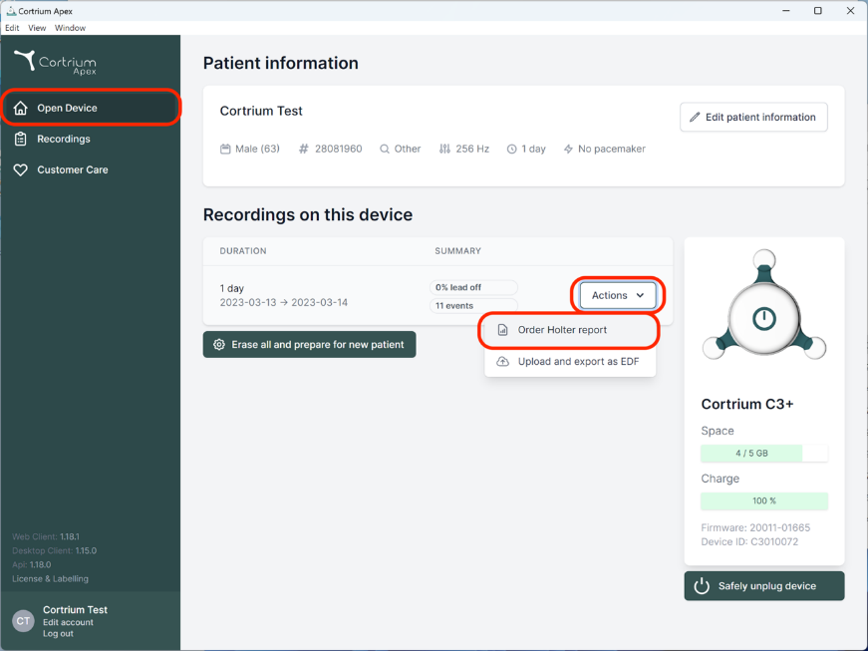
- Open Cortrium Apex and click on the “Open device” button. Use the “Actions” button to select “Order Holter report”.
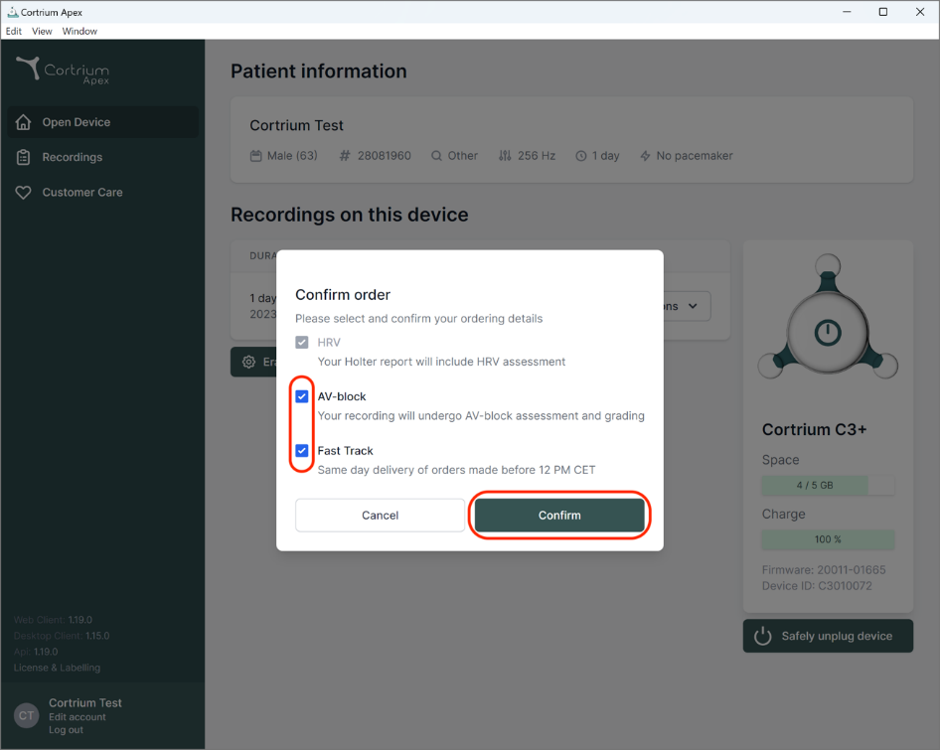
- Next, you will be met by a form allowing you to confirm your order or choose additional add-on options for your analysis. When you are satisfied with your choice of analysis options you can click “Confirm” to continue.
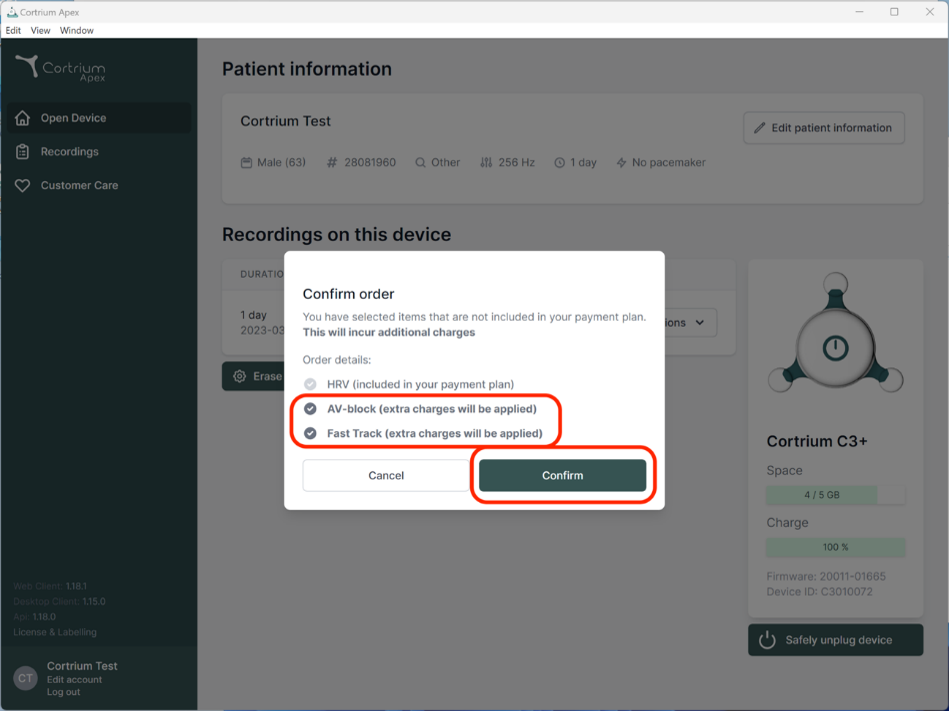
 In case you have chosen add-ons to your analysis you will be prompted with a message informing if your selections will incur additional charges.
To continue click on “Confirm”.
This step will download the recording from your monitor and securely upload the recording for analysis. Please be aware that this can take a few minutes, as the raw recordings are very large files. You can follow the progress with the indicator in the lower part of the screen.
- Depending on your account settings you will be informed via email when the Holter report is ready to view. Apex also presents newly completed reports with a red dot for easy identification.